Reduce Remote CCTV Installation Costs in South Africa
Learn how to compare grid, solar, wireless and cabling costs for remote CCTV, including lifecycle expenses, site risks and practical checks.
By Maxsol Team

The most reliable way to reduce remote CCTV installation costs is to avoid unnecessary civil works, size power and data links from measured loads, and compare options over the system’s full service life. Reusing suitable infrastructure, deploying wireless backhaul where line of sight supports it, or using solar power where grid extension is uneconomical can all lower costs—but none is automatically the cheapest choice.
Begin with a like-for-like design covering the same cameras, recording requirements, uptime target and monitoring location. Then compare grid-fed PoE, off-grid solar with PoE, and feasible hybrid power arrangements using installation, maintenance, replacement and operating costs. Remember that PoE distributes power to network devices; it does not create energy. The upstream energy source may still be the grid, a solar-battery system or a combination of sources.
Establish a like-for-like scope and cost baseline
Cost comparisons become misleading when each option is based on a different operating requirement. A four-camera solar design, for example, cannot be compared fairly with an eight-camera grid-fed design offering longer retention and a higher uptime target.
Define the following before requesting prices or selecting equipment:
- Number, type and maximum power demand of cameras
- Night-time loads, including infrared illumination
- Switch, wireless radio and ancillary equipment loads
- Recording location and required video retention
- Expected application throughput, not only advertised link rates
- Maximum permitted downtime and required backup duration
- Cable distances and available routes
- Existing poles, ducts, cabinets, towers and power points
- Terrain, vegetation, access restrictions and line of sight
- Environmental exposure and enclosure requirements
- Monitoring, cloud, software or mobile data subscriptions
- Planned service life and replacement assumptions
Measure power at the expected operating condition wherever possible. Camera nameplate ratings are useful for an upper-limit check, but actual system design must also account for switches, radios, conversion losses, cold starts and other equipment sharing the power source.
For data transport, separate the camera drop from the backhaul. Standard copper Ethernet, extended-reach copper, fibre and point-to-point wireless have different cost and distance implications. The guide to long-range PoE design options for IP cameras explains the copper transport considerations, while the article on SFP uplinks for CCTV fibre networks covers fibre selection in more detail.
Build a transparent lifecycle cost worksheet
Use current supplier and contractor quotations rather than generic online estimates. Record all amounts consistently in rand and ensure that VAT is either included throughout or excluded throughout.
| Cost category | What to include | Questions to verify |
|---|---|---|
| Site preparation | Clearing, access, excavation and reinstatement | Is specialist machinery required? Can existing routes be reused? |
| Trenching and ducts | Trench excavation, conduit, draw wire, warning tape and surface repair | What is the route length and surface type? |
| Grid extension | Utility connection, distribution board, cabling, metering and contractor work | Is an approved connection available at the required point? |
| Poles and structures | Poles, brackets, foundations and structural work | Are existing structures suitable and authorised for reuse? |
| Power hardware | Power supplies, PoE switches, batteries, panels, controllers and protection | Has the complete load been included? |
| Backhaul | Copper, fibre, wireless radios, SFP modules and termination hardware | Does the design meet distance, bandwidth and resilience requirements? |
| Labour and travel | Installation hours, travel, accommodation and specialist contractors | How many site visits are assumed? |
| Commissioning | Alignment, configuration, labelling, testing and handover | Are acceptance criteria documented? |
| Operating costs | Electricity, mobile data, cloud services, licences and monitoring | Which charges recur monthly or annually? |
| Maintenance | Cleaning, vegetation control, inspections and fault response | How difficult and expensive is site access? |
| Replacements | Batteries, damaged radios, power supplies and other finite-life items | Which replacement intervals come from current supplier information? |
| Risk allowance | Theft protection, vandalism exposure and difficult access | Which risks can be reduced through design rather than contingency spend? |
A simple comparison can use:
Lifecycle cost = initial installation + planned replacements + recurring operating costs + scheduled maintenance + estimated fault-response costs
Keep the time horizon identical for every option. If uncertainty is high, calculate low, expected and high cost scenarios rather than hiding uncertainty inside one number.
Compare grid extension and solar power
Grid-fed PoE is usually straightforward where dependable power already exists close to the camera position. It can become expensive when a new supply, long trench, metering arrangement or extensive AC cabling is required.
Off-grid solar avoids a grid extension but introduces other costs: photovoltaic panels, batteries, charge control, mounting structures, DC distribution, protection and periodic battery replacement. It also requires an energy design based on the continuous load, local site conditions, seasonal conditions and the required autonomy.
A hybrid arrangement may be viable where grid power exists but backup is needed, or where a battery system can support essential loads during interruptions. Adding solar to a grid-connected system should still be justified by a proper energy and lifecycle-cost calculation.
Like-for-like power decision matrix
| Decision factor | Grid-fed PoE | Off-grid solar with PoE | Feasible hybrid arrangement |
|---|---|---|---|
| Primary energy source | Grid AC converted to the required DC and PoE outputs | Solar generation stored in a battery, then distributed to loads | Grid with battery backup, potentially supported by solar where justified |
| Best-fit site | Existing usable power close to the CCTV position | Remote site where grid extension is impractical or disproportionately costly | Site with grid access but a defined backup or resilience requirement |
| Main upfront costs | Connection, trenching, AC hardware, protection and PoE equipment | Panel, battery, controller, mounting, cabinet, protection and PoE equipment | Grid hardware plus battery, controller and any solar components |
| Main recurring costs | Electricity and maintenance | Inspection, cleaning and planned battery replacement | Electricity, maintenance and planned battery replacement |
| Key design dependency | Connection feasibility and cable route | Verified load, solar input, battery sizing and environmental conditions | Load prioritisation, charging strategy and changeover behaviour |
| Common cost mistake | Ignoring grid-connection and civil-work charges | Treating nominal battery capacity as fully usable energy | Paying for duplicated hardware without a defined resilience requirement |
| Main limitation | Installation cost can rise sharply with distance from power | Energy availability varies and incorrect sizing can cause outages | Greater design and maintenance complexity |
PoE belongs on the distribution side of all three options. A solar panel does not directly make a CCTV system “PoE”; the design must still regulate, store and distribute energy at compatible voltages.
Assess solar from the load backwards
A solar design should start with a load schedule, not a panel wattage or battery label. List every device, its operating voltage, maximum demand and hours of operation. Then include system losses and the required reserve.
The Maxsol CS12060 solar power system is one selection example. Its documented configuration includes a 120W monocrystalline panel, a 12.8V 60Ah 768Wh LiFePO4 battery, an MPPT controller and three DC12V outputs, with RS485 listed as optional.
Those values alone do not establish camera capacity, usable battery energy, autonomy or 24/7 operation. Confirm the current datasheet and supplied configuration, including controller PV voltage, current and power limits, battery charging temperatures and protection. Nominal battery watt-hours are not the same as energy delivered to connected equipment.
Hypothetical calculation—not measured product performance: suppose a proposed site has an 8W camera, a 6W network device and a 6.5W radio operating continuously. The listed load is 20.5W, or 492Wh over 24 hours before conversion losses, temperature effects, reserves or other loads. This arithmetic is only the starting point. It does not prove that a particular panel and battery can support the site through seasonal conditions or the required autonomy period.
Evaluate wireless backhaul against new cabling
Wireless backhaul can reduce trenching and fibre installation costs when two points have suitable line of sight, mounting positions and acceptable radio conditions. It is not a universal substitute for cable.
A proper comparison should include:
- Radio hardware at both ends
- Mounts, poles or tower work
- Local power at both radio positions
- Alignment and commissioning labour
- Surge and environmental protection
- Spectrum and local radio-rule checks
- Expected throughput under actual site conditions
- Vegetation growth or future building obstructions
- Maintenance access at both ends
- Redundancy requirements
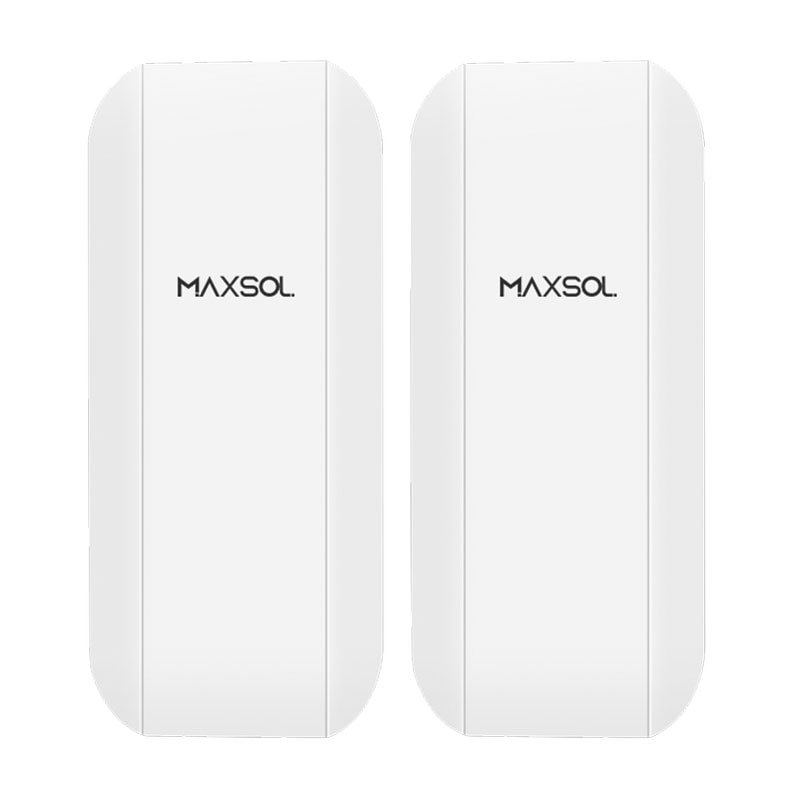
The Maxsol CPE295 5.8GHz wireless CPE documents 5.8GHz operation, a 2x2 14dBi directional MIMO antenna, one Gigabit LAN port, IEEE 802.3af/at or 9–48V DC power support, and 6.5W full-load consumption. These specifications can inform power and topology planning, but product range and wireless rate labels do not guarantee site distance or application throughput.
Before selecting any wireless bridge, verify line of sight, path clearance, interference, mounting height and applicable South African radio requirements. A site survey is especially important where trees, uneven terrain, industrial noise or multiple nearby wireless networks may affect the path.
The linked solar and wireless products are selection examples, not a tested compatible bundle. Confirm voltage compatibility, connector arrangements, power budgets and the complete supplied configurations before combining equipment.
When cable remains the lower-risk option
New cabling may have a higher initial civil-work cost but remain preferable where:
- Line of sight is unavailable or likely to be obstructed
- Predictable high throughput is required
- Radio interference cannot be managed adequately
- The route can use an existing duct
- A fibre backbone already passes near the site
- Multiple cameras can share one planned cable route
- The project requires physical rather than radio separation
Conversely, wireless may be financially attractive across roads, yards, farms, industrial sites or other areas where trenching and reinstatement dominate the quotation. The decision should follow the survey rather than a general preference for wired or wireless networking.
Reduce repeat visits through surveys and bench checks
A return visit to a remote site can cost more than the replacement component itself. Travel, site access, equipment hire and lost installation time should therefore be treated as design costs.
Complete a practical site survey
Record enough detail for another technician to understand the site without relying on memory:
- Mark every camera, cabinet, pole and network endpoint.
- Measure cable routes rather than estimating straight-line distance.
- Photograph proposed mounting positions and obstructions.
- Check line of sight from the actual installation height.
- Identify existing power sources, ducts and structures.
- Confirm who owns or controls each pole, roof, trench route or electrical point.
- Note exposure to dust, water, heat, corrosion, livestock, vehicles or vandalism.
- Record mobile or network connectivity where remote management depends on it.
- Establish safe access requirements and specialist equipment needs.
- Document an alternative design if the preferred route proves unavailable.
Do not assume an existing pole, cable or power point can be reused merely because it is present. Confirm condition, capacity, ownership and suitability.
Bench-check the complete system
Before dispatching equipment, assemble and configure as much of the system as practical. Bench checks can identify mismatched voltages, missing accessories, incorrect addressing and configuration errors before the installation team reaches the site.
A useful pre-deployment checklist includes:
- Confirm current datasheets and supplied variants
- Check input and output voltage compatibility
- Calculate the total PoE and DC power budget
- Configure IP addresses and management access
- Update settings under controlled conditions
- Pair and identify wireless endpoints
- Verify intended network topology
- Label cables, ports, injectors and power leads
- Prepare configuration backups
- Record serial numbers and installed positions
- Pack spare connectors and site-appropriate consumables
- Define commissioning and acceptance tests
Bench operation does not replace a field survey. In particular, a wireless link working across a workshop does not prove that the planned outdoor path will achieve the required throughput.
Include maintenance, replacements and operating costs
The lowest installation quotation may become the most expensive option after subscriptions, battery replacements and remote-site call-outs are included.
For each design, separate costs into four groups:
Planned maintenance
This may include panel cleaning, enclosure inspection, vegetation management, connector checks, camera cleaning and wireless alignment checks. The required work depends on the site environment and equipment documentation.
Planned replacements
Use current manufacturer or supplier information to set replacement assumptions. Do not assign a generic battery service life to every project. Temperature, charge settings, depth of discharge and operating conditions all affect replacement planning.
The worksheet should also include likely replacement labour and travel. A battery installed at a difficult site carries a different lifecycle cost from the same battery in an accessible cabinet.
Recurring operating expenses
Check for:
- Grid electricity
- Mobile data
- Cloud recording
- Device-management services
- Video management software licences
- Monitoring charges
- Leased mounting or connectivity infrastructure
- Annual inspection contracts
A wireless bridge using an existing private network may avoid a recurring mobile-data charge, but only if the required network path and capacity are genuinely available.
Fault-response costs
Estimate the impact of common failure categories without claiming that they will occur at a particular rate. Examples include damaged cabling, misaligned radios, depleted batteries, failed power supplies and obstructed camera views.
Consider whether remote diagnostics can distinguish a network fault from a power fault. Useful monitoring may reduce unnecessary travel, but any management platform, communications service or optional interface must be included in the cost comparison.
Choose the lowest viable lifecycle cost
The cheapest design is the least expensive option that still meets the project’s technical and operational requirements. A design that cannot support the required load, throughput or uptime is not a saving.
Use this sequence to reach a defensible decision:
- Fix the scope. Compare the same camera count, recording requirement, uptime target and service period.
- Reuse infrastructure selectively. Keep existing ducts, poles, fibre or power only after confirming condition, capacity and permission.
- Price civil works explicitly. Separate trenching, reinstatement, grid extension and structural work from equipment costs.
- Compare energy sources independently from PoE. Determine whether grid, solar-battery or hybrid energy is viable, then design compatible PoE distribution.
- Survey wireless paths. Use wireless only where line of sight, interference and local requirements support it.
- Calculate the complete load. Include cameras, night loads, switches, radios, conversion losses and reserve requirements.
- Add recurring and replacement costs. Include electricity, subscriptions, batteries, maintenance and travel.
- Test before deployment. Bench-configure devices and define measurable commissioning criteria.
- Run uncertainty scenarios. Compare the cost effect of a longer trench, an additional site visit, a battery replacement or a changed backhaul route.
- Document why the selected option wins. Procurement teams should be able to see which assumptions drove the result.
Common mistakes include choosing solar from panel wattage alone, using a wireless range label as a site guarantee, overlooking power consumed by the backhaul, and comparing upfront equipment prices while excluding civil works and maintenance.
As a practical next step, place the shortlisted grid, solar and wireless designs into one lifecycle worksheet. Then compare the linked Maxsol models against the project’s actual port count, total load, distance, energy source, environmental exposure and management requirements, confirming current datasheets and supplied configurations before specifying equipment.